4 Branch Divergence

In the previous chapter, we examined a situation where two users worked in the main branch without problems. In this chapter, we’ll see what happens when two users simultaneously make changes to the same commit state C0 and try to push their own commits to the remote repository.
4.1 Origin of Branch Problems
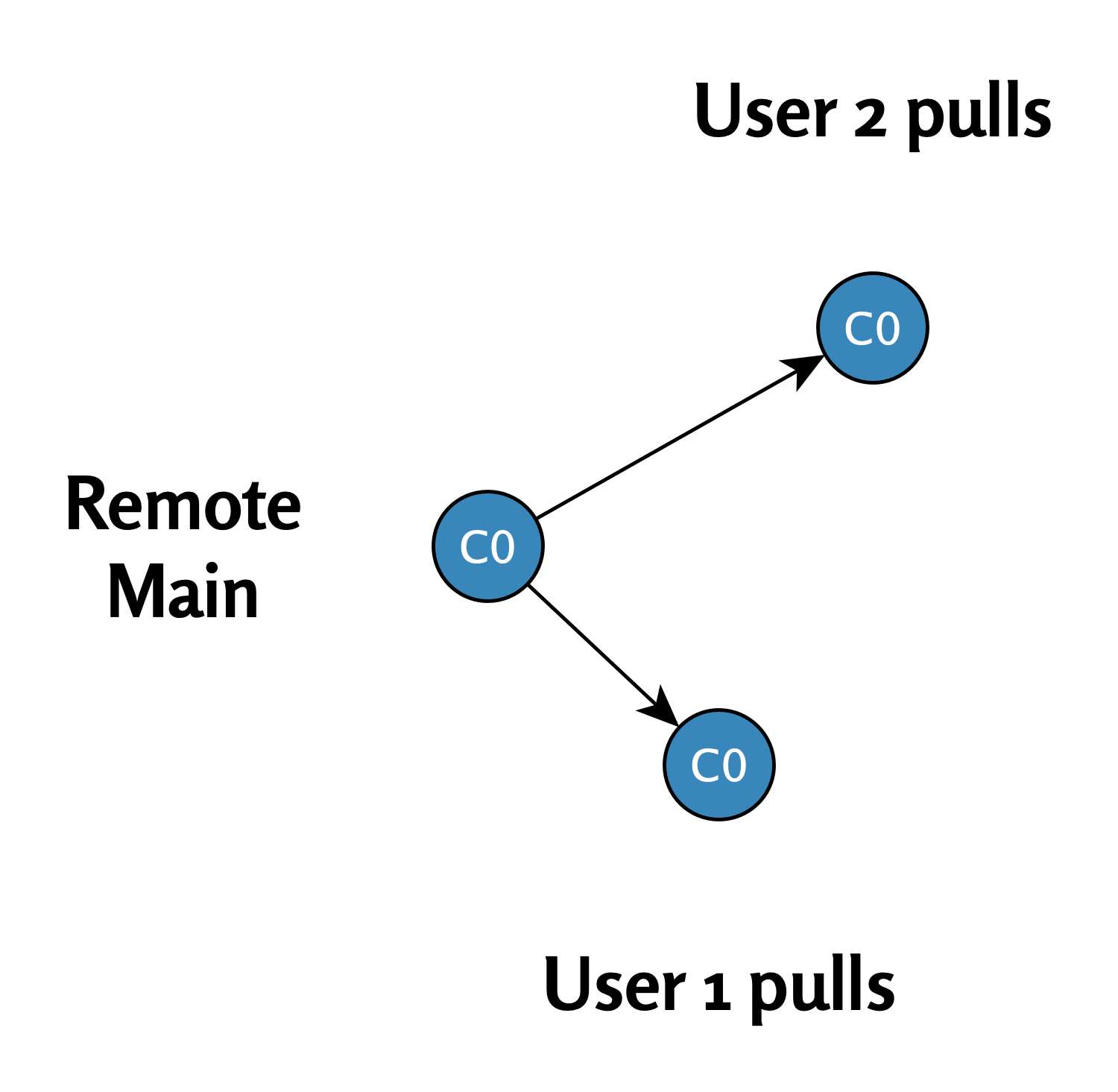
Step 1: User 1 and User 2 execute pull command (C0)
Both users start the project from the same initial state. They execute a pull command and update their local repositories to commit state C0.
The situation is shown in this diagram:
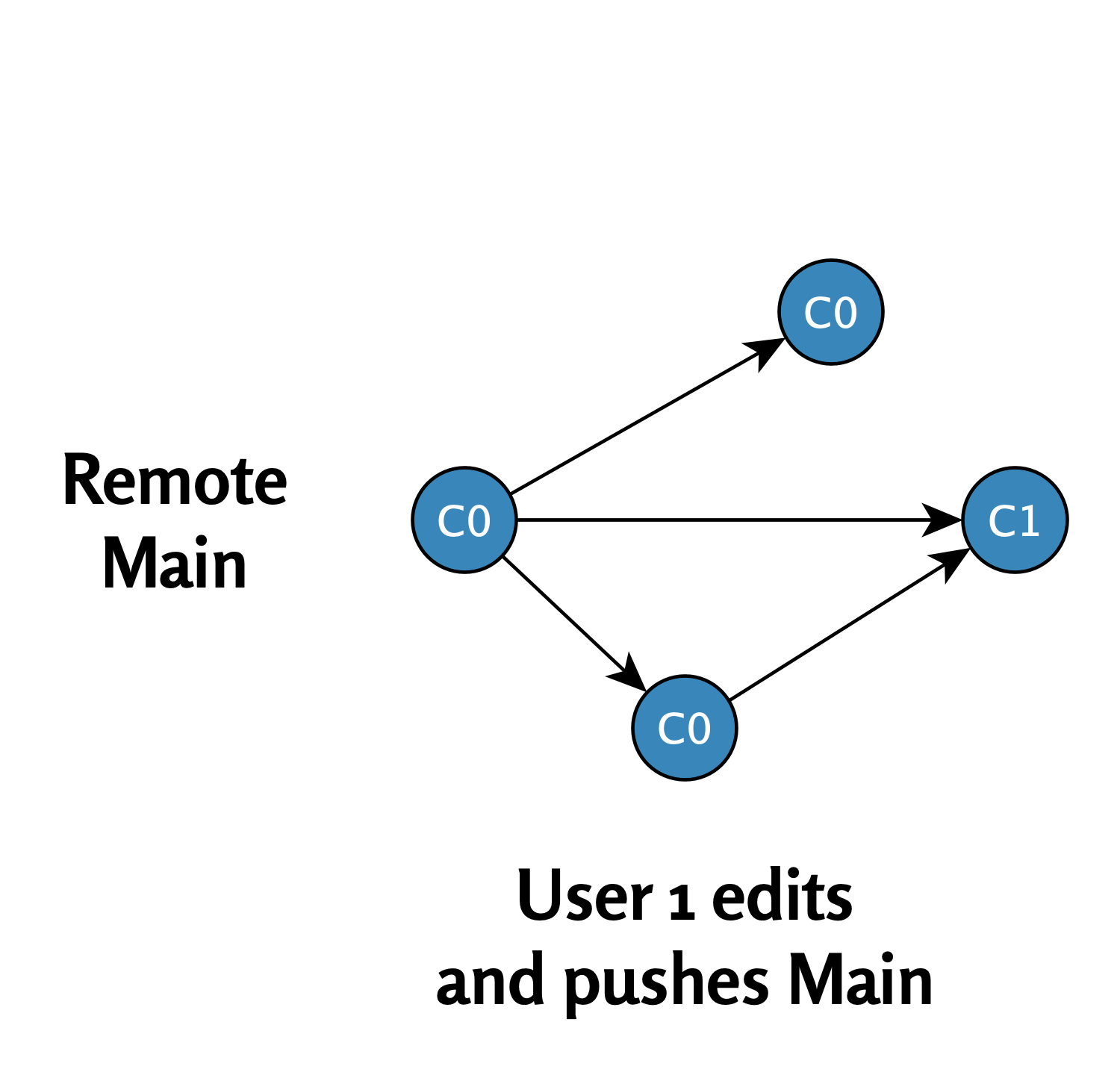
Step 2: User 1’s modifications are accepted to the remote repository
- User 1 modifies the file and makes commit
C1. - User 1 executes a push command, and commit
C1is accepted to the remote repository because it’s based directly on stateC0.
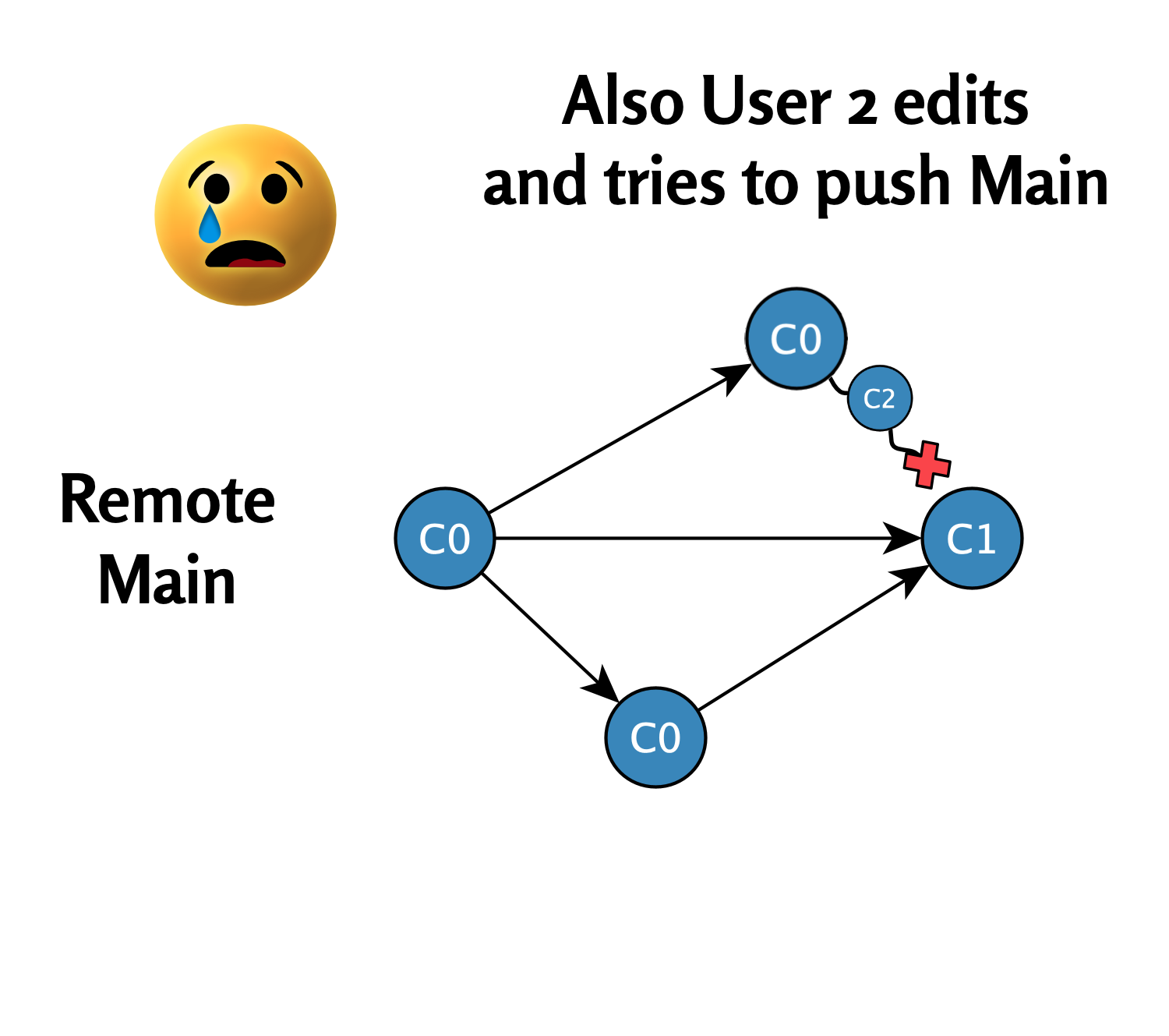
Step 3: User 2’s modifications are not accepted to the remote repository
- User 2 modifies another part of the file and makes commit
C2. - User 2 tries to execute a push command, but Git prevents this because the main branch in the remote repository has advanced to commit state
C1. User 2’s local commitC2is now in conflict with the remote repository state.
4.2 Summary
When two users try to make changes simultaneously and push them to the remote repository, branch divergence occurs. This means there is a conflict between the remote repository and local branches that requires additional actions from the user (such as merging or rebasing) to resolve the problem.
In the next chapter, we’ll discuss how these conflicts can be resolved in different ways.
Divergent Git branches - from problem to solution © 2025 by Ville Langén is licensed under the CC BY-SA 4.0.
