5 Fix Method 1: merge function

In the previous chapter, we examined a situation where two users simultaneously made changes to the same commit state C0 and tried to push their own commits to the remote repository. In this chapter, we’ll see what happens when a user configures Git settings so that the pull command automatically attempts to merge changes.
We’ll examine the progression of the situation especially from User 2’s perspective.
5.1 Pull without merge permission
Step 1: User 1 and User 2 execute pull command (C0)
Both users start the project from the same initial state. They execute a pull command and update their local repositories to commit state C0.
After this, they begin working on the file test.R. At point C0, it looks like this for all users:
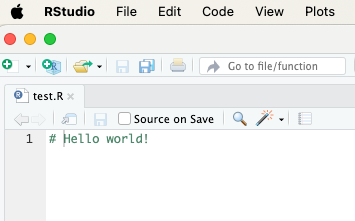
Figure. Initial state at commit point C0.
Step 2: Users 1 and 2 modify the file independently
- User 1 has modified the file and already pushed it to the remote repository.
- User 2 has also modified the file but hasn’t pushed it to the remote repository yet.
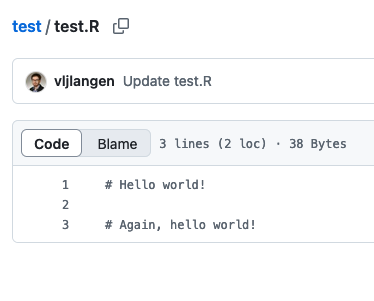

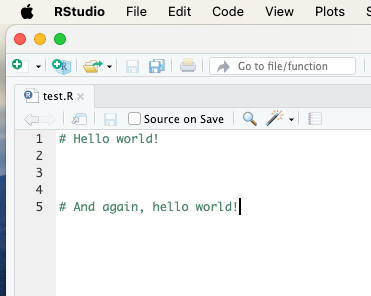
Figure. User 1’s changes already in remote repository (left image), User 2’s changes not yet pushed (right). The users’ changes clearly differ from each other.
Step 3: User 2 tries to push their modifications to the remote repository
- User 2 first tries to execute a pull command, but this fails:
Video. First - and failed - pull attempt.
- User 2 tries to execute commit + push command, but this also fails:
Video. Commit + push also fails.
- User 2 makes another pull command and receives the following error message with instructions:
Video. New - failed - pull attempt.
- User 2 copies the following command from Git’s instructions to the clipboard:
git config pull.rebase false
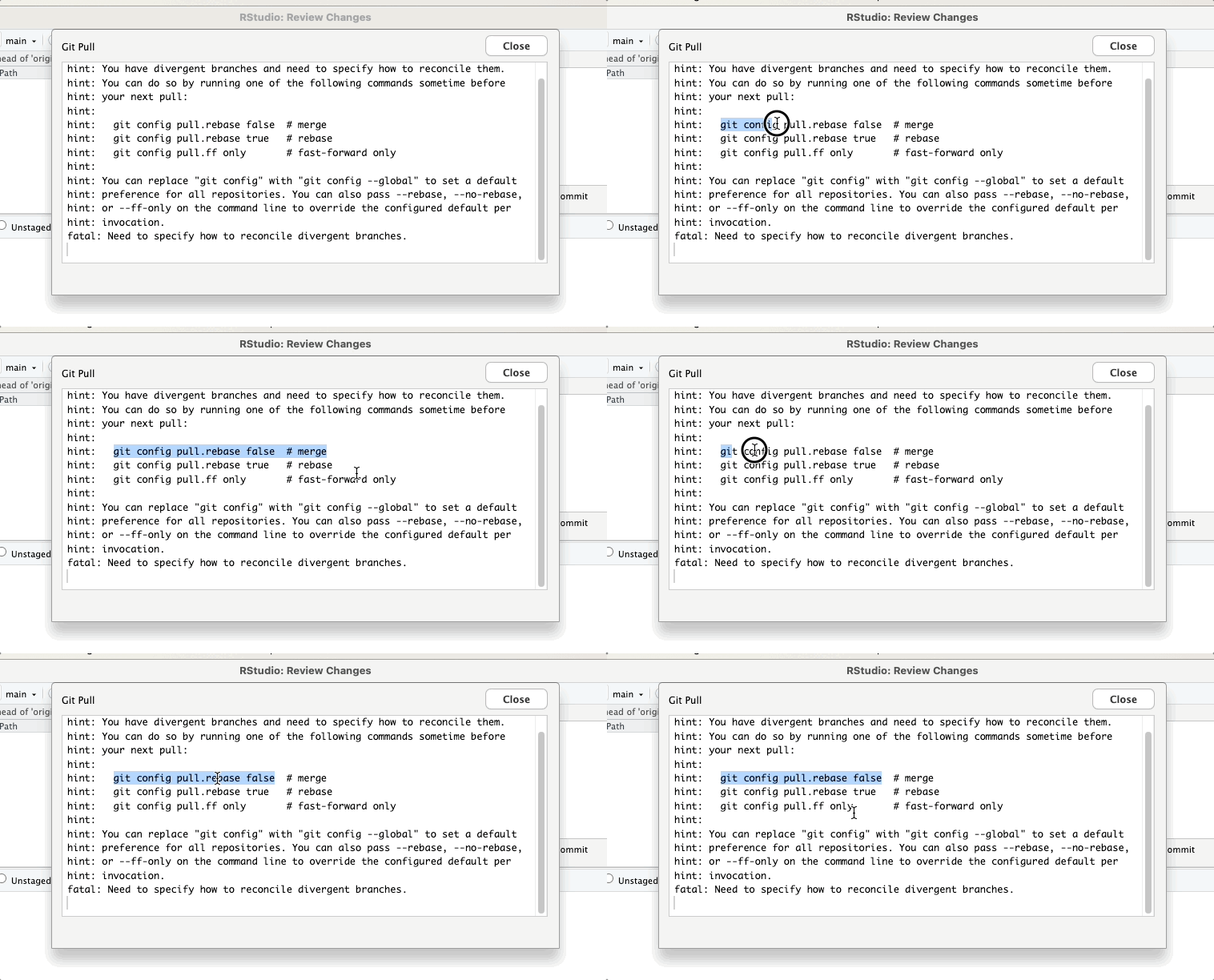
Video. Command to be copied to clipboard from pull attempt.
5.2 Giving merge permission
Before User 2 makes a third pull attempt, they run the command in Terminal
to give Git permission to attempt merge operation when pulling new changes from the remote repository.
Running the command in Terminal happens as follows:
Video. Running the command git config pull.rebase false in Terminal.
5.3 Pull with merge permission
Now User 2 can successfully execute a pull command, which creates a new merge commit. However, it produces a warning that instructs to verify that the merge was successful:
Video. Third pull attempt succeeds.
Next, User 2 needs to verify by editing the test file test.r that the merge was successful.
Video. File test.R must be manually edited to fix after the merge operation.
After this, commit + push operations go through without problems:
Video. Commit + push operations go through to the remote repository.
Now the file test.R appears in User 2’s updated form in GitHub:
Video. The merged file now appears in the remote repository on GitHub.
5.4 Binary files
Binary files are files that contain information in a form that cannot be directly read or edited with a text editor. Examples of binary files include Word documents (.docx) and bitmap images (e.g., .png). These files cannot be merged with Git’s merge operation because their content cannot be interpreted as simple text, and even small changes in the file can cause large differences in the binary structure.
Even if you set Git to use git config pull.rebase false to ensure simpler pulling, it doesn’t help resolve merging binary files. When two users make changes to the same binary file in different commit states, a situation arises that requires more robust solutions.
5.4.1 Example with .docx
Step 1: Remote repository state (C0)
All users start from a situation where test.docx is in commit state C0 and looks like this:
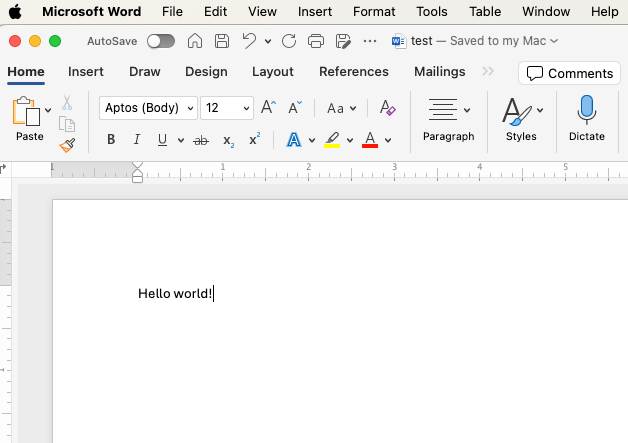
Step 2. User 1 and User 2 make their own modifications to the same Word file:
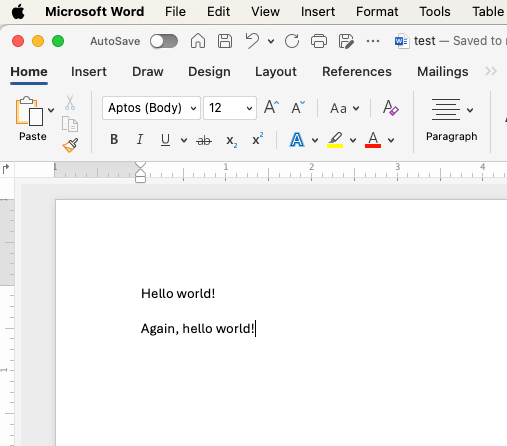
Figure. User 1’s modifications.
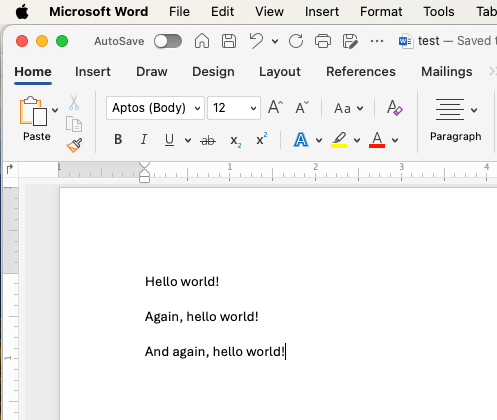
Figure. User 2’s modifications.
Step 3: User 1’s changes are accepted
User 1 manages to make commit C1 and push command after their modifications before User 2, and commit C1 is accepted to the remote repository because it’s based directly on commit state C0.
Step 4: User 2’s changes are rejected
- User 2 tries to make commit
C2after modifying the test.docx file.
- However, Git prevents the push command because the remote repository has moved to commit state
C1. This causes a conflict.
- User 2 cannot execute commit, push, or pull commands.
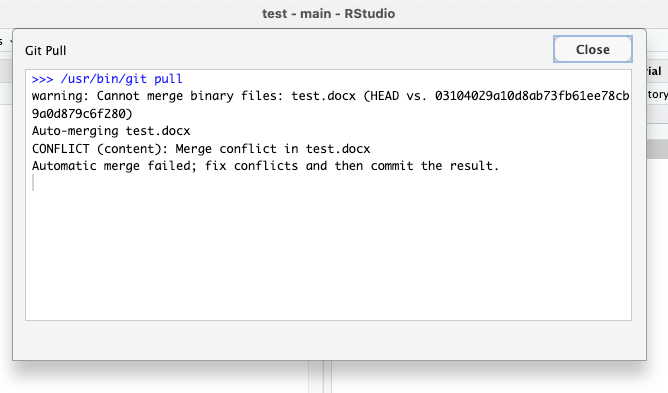
Figure. User 2 gets stuck with Git. Commit state C1 cannot be pulled, and commit state C2 cannot be pushed on top of commit state C1.
Even if User 2 gives the command git config pull.rebase false and tries to pull after that, Git cannot merge the two different versions of the test.docx file because it’s a binary file.
5.5 Summary
git config pull.rebase false is actually best in situations where users haven’t really modified the same file simultaneously but have forgotten to execute a pull command before making modifications to the repository. In such cases, resolving conflicts between commit points is relatively easy for Git.
git config pull.rebase false is not, however, a very effective solution for situations where users have truly modified the same file simultaneously. In such cases, the resulting conflicts usually require at least manual merge editing.
For binary files, merging modifications with git config pull.rebase false doesn’t work at all. Because Git cannot merge the contents of binary files, all such conflict situations must be resolved by other means, such as choosing one version of the file.
We’ll discuss the latter in the next chapter.
Divergent Git branches - from problem to solution © 2025 by Ville Langén is licensed under the CC BY-SA 4.0.
